DR-670 Sequencer
A big screen for a small drum machine – drums, bass and songs for the BOSS DR-670
 Demo video coming soon
- No DR-670 at hand? The app plays a simple built-in sound kit through your speakers (“PC sound”) – synthesized in the browser, no samples.
- With a DR-670: Chrome or Edge on a computer, a MIDI interface and the https:// address of this site. The browser asks for MIDI access first; ? Help in the app explains the settings on the unit.
- Your patterns stay with you: they are saved only in your own browser, nothing goes to this server (privacy policy). Save project keeps a copy as a file.
- Made for a big screen and a mouse – on a phone it gets cramped.
What is this?
The BOSS DR-670 is a compact drum machine with a bass player inside: 16 pads, a small LCD, a tempo wheel and hundreds of patterns. It sounds great. Programming your own groove on it, however, means many button presses on a small display – one step, one instrument, one bass note at a time.
This little app gives it a big screen.
It is a single HTML file. Drums and bass on a grid you can take in at a glance, 240 ready-made patterns to start from, songs by drag and drop. It plays through the DR-670 via MIDI – or through your PC speakers if there's no unit around. And when a pattern is done, the app records it straight into the DR-670.
Screenshots
What it can do (and is quite proud of)
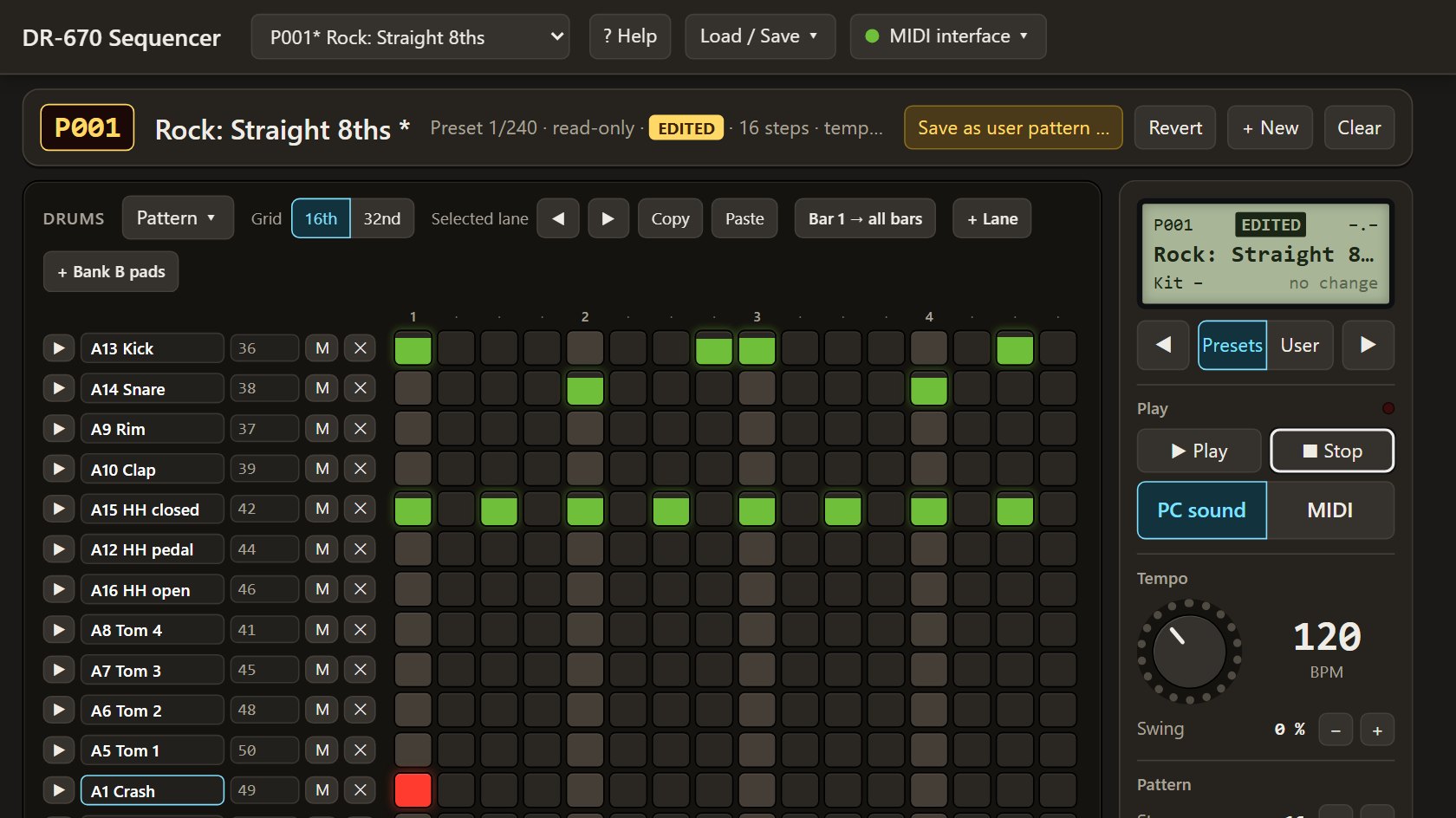
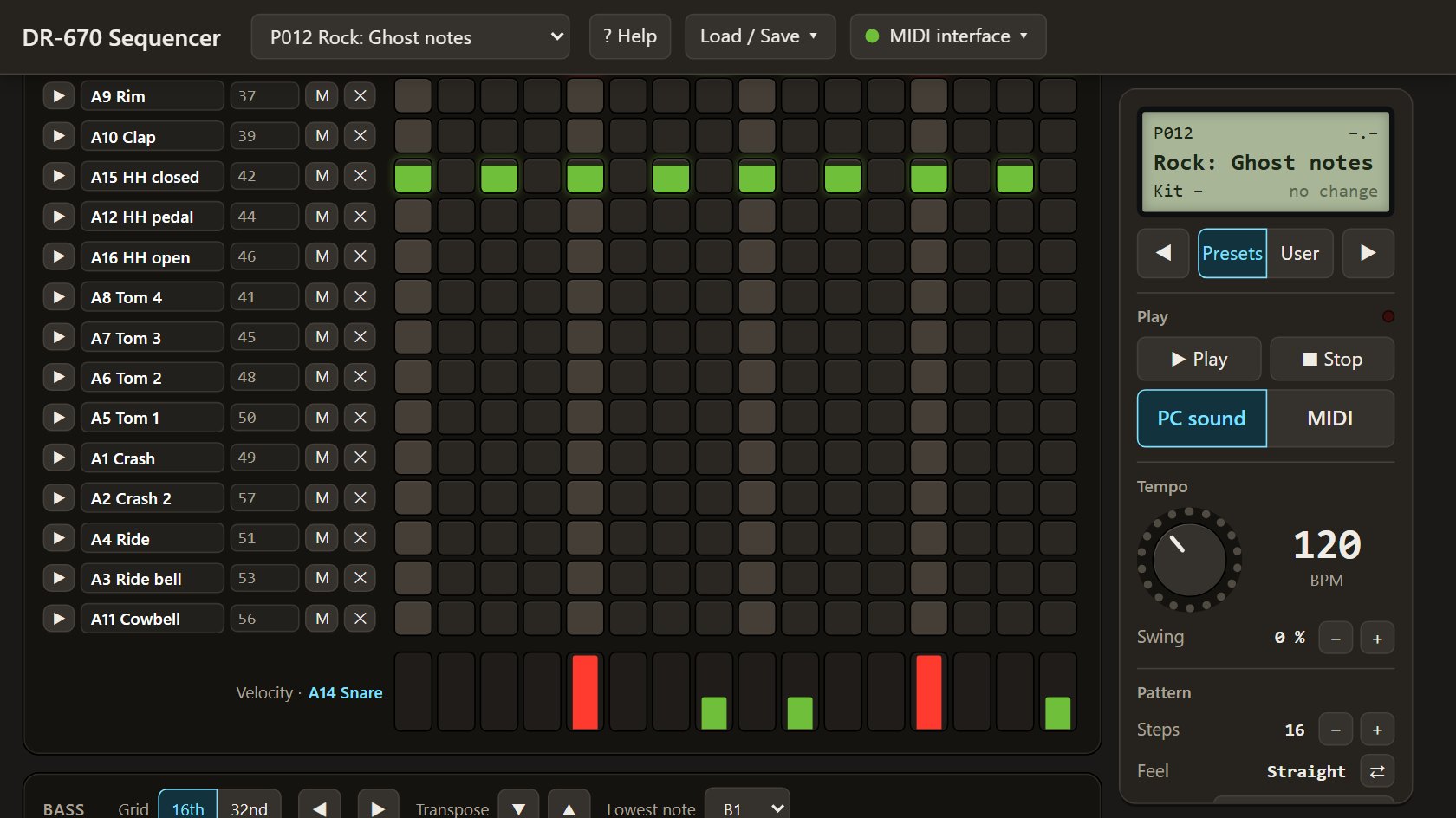
See the whole groove
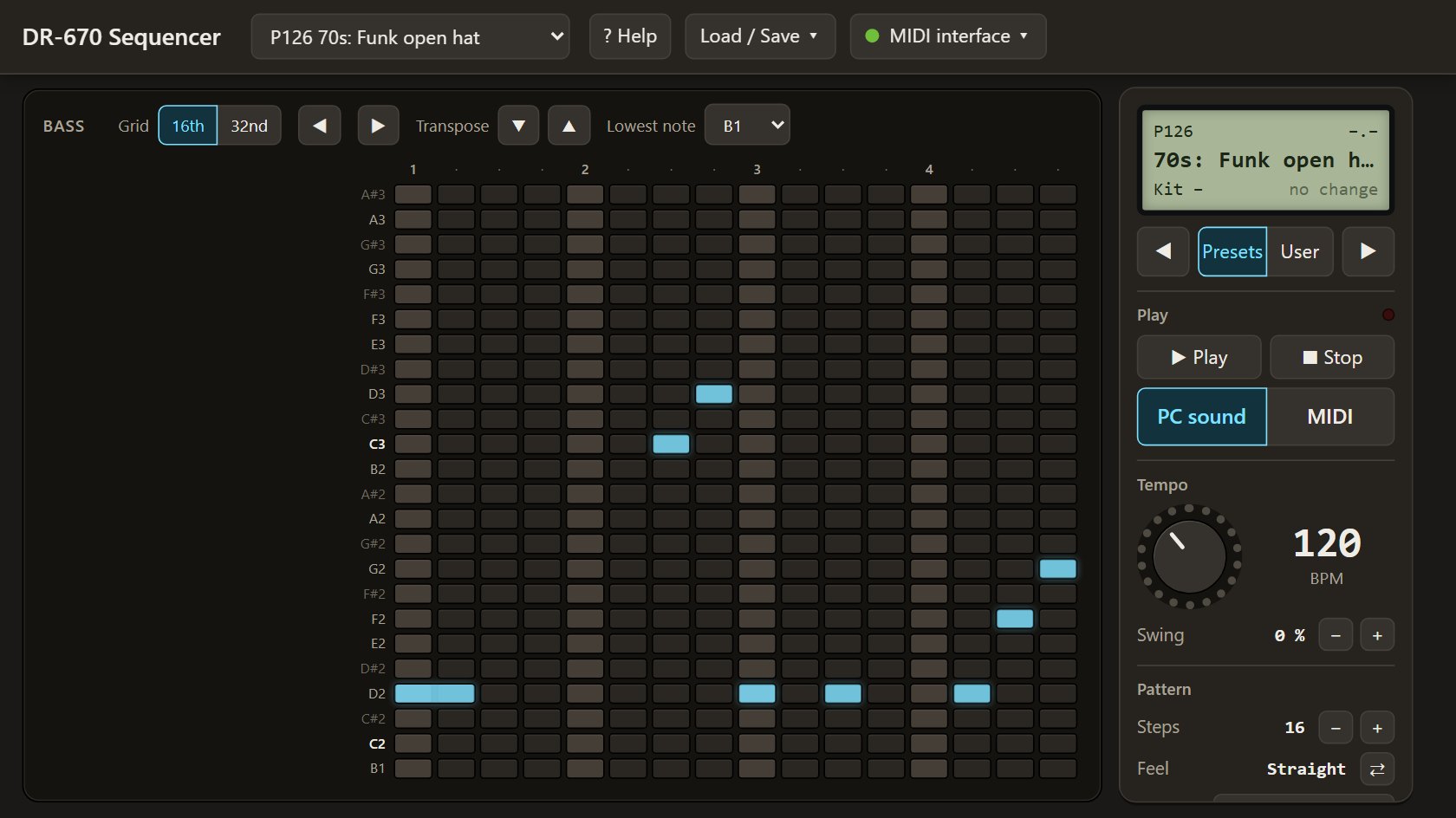
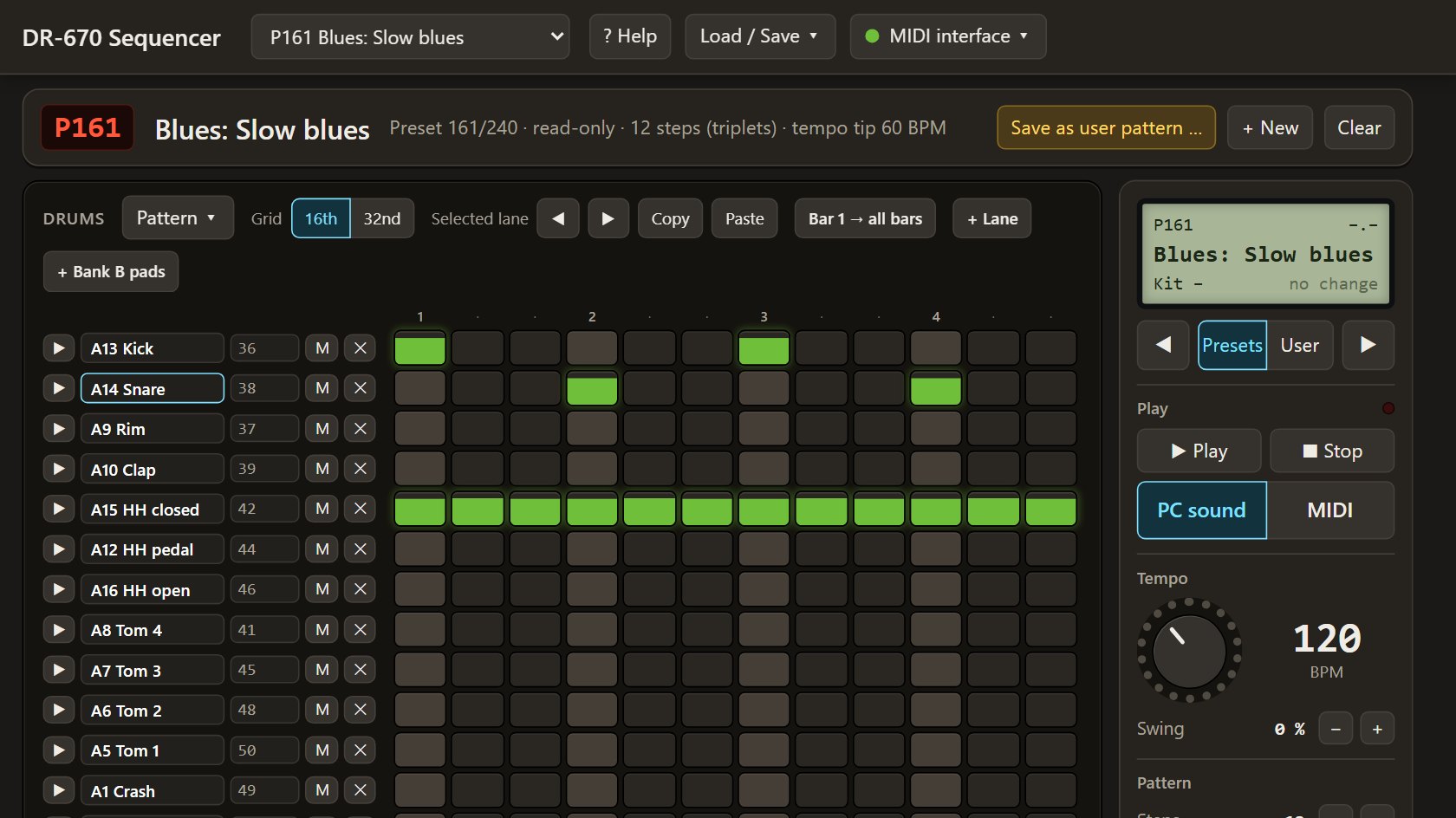
Up to 32 pads (banks A and B) on one grid, the bass line right below, step for step. Click to set a hit, drag across several, right-click for an accent. 16ths or 32nds.
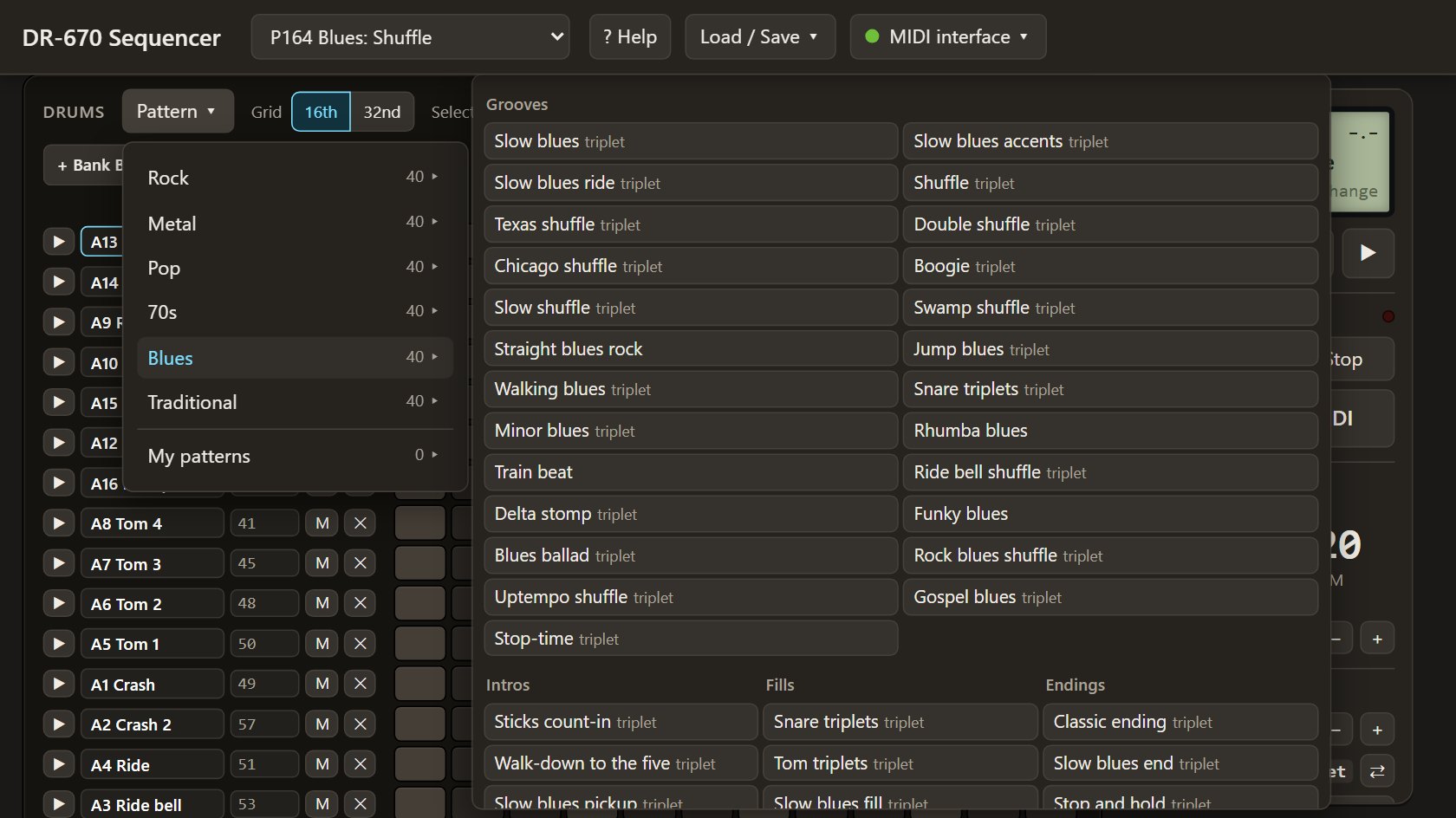
240 presets to start from
Six styles with grooves, intros, fills and endings, every one with a bass line – all written by hand for this app. Presets are read-only: your changes stay apart until you save them as a user pattern.
A bass line, too
Notes with length and accent, a 16th or 32nd grid, transpose by a semitone or an octave. Mute or hide the bass when you only want drums.
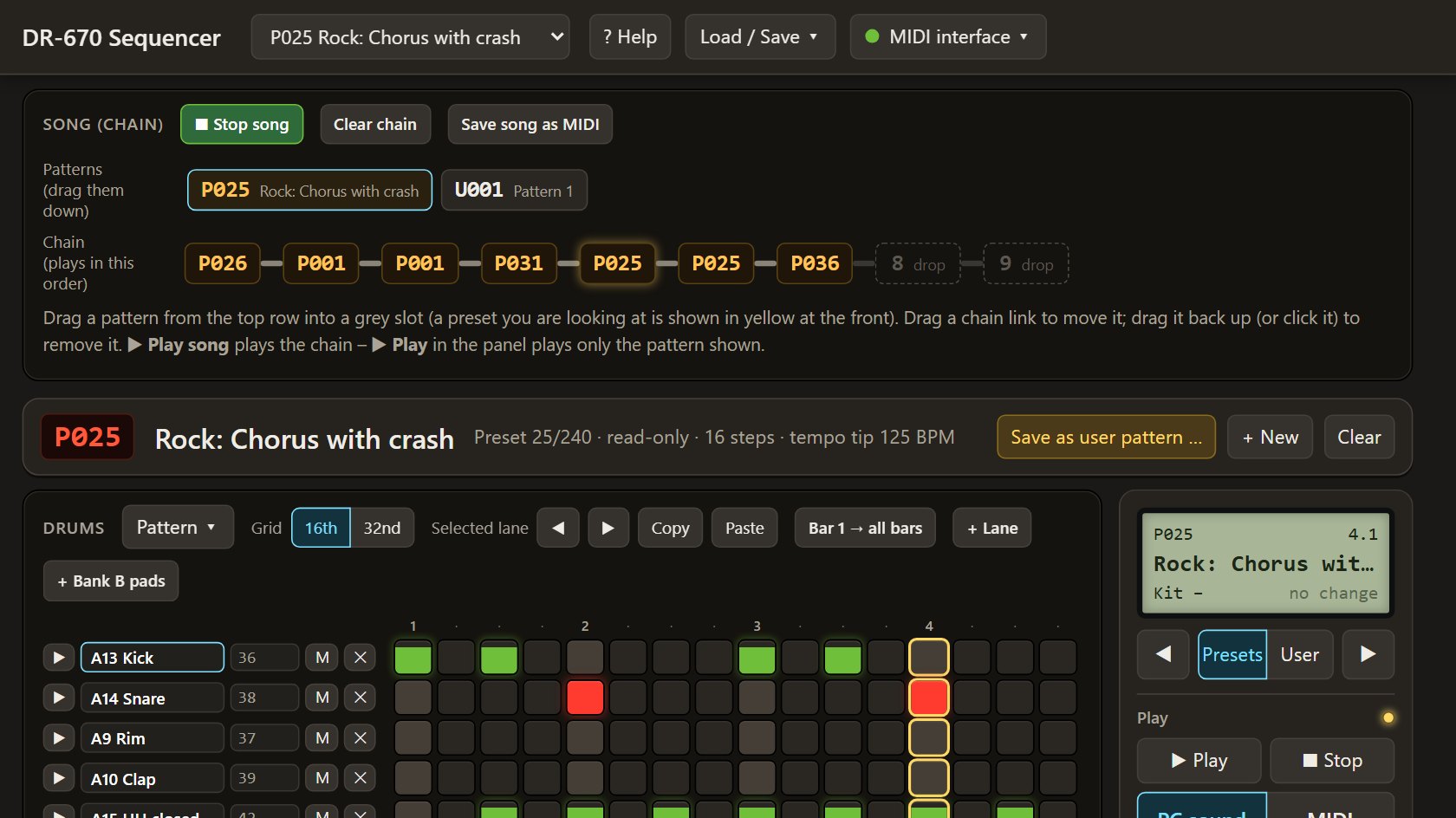
Songs by drag and drop
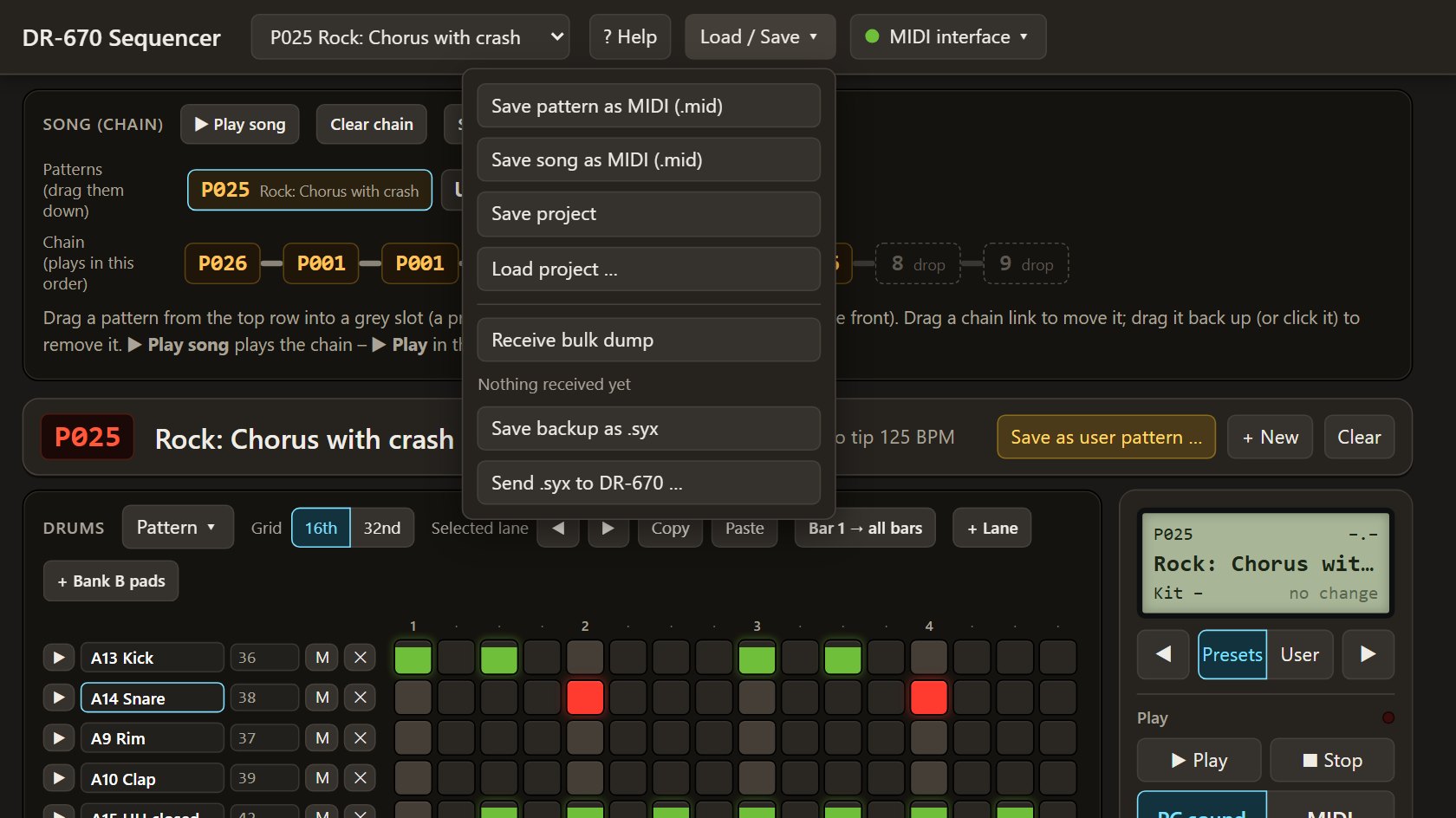
Drag presets and your own patterns into a chain – repeat, reorder, remove. ▶ Play song plays it in a loop, ▶ Play just the pattern on screen.
Odd feels welcome
Straight or triplet feel, swing, 3/4 waltzes, 5/4 and 7/8 – and anything from 1 to 64 steps per pattern.
With or without the DR-670
Via MIDI it plays the DR-670's own sounds, and the kit list shows every preset kit by its name on the unit's display. Without hardware, a built-in kit plays through the PC speakers.
Into the unit
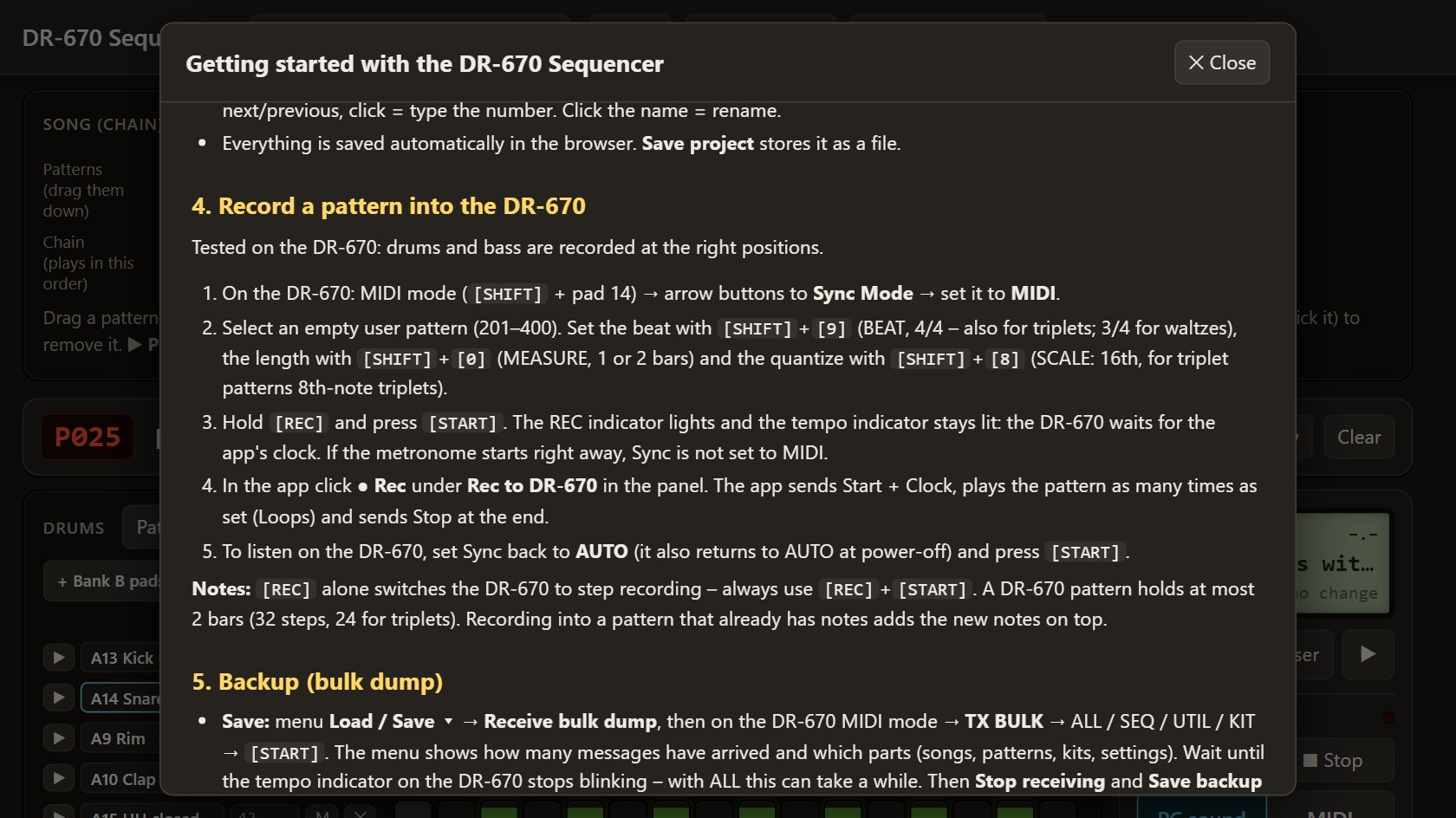
Rec to DR-670 records a pattern into the unit in real time – drums and bass at the right positions. Tested on the real thing.
Out into the world
Save a pattern or the whole song as a Standard MIDI File, save and load projects, back up the DR-670's memory as .syx. Headers mangled by cheap MIDI interfaces are repaired automatically.
What it cannot do (yet – or ever)
Honesty corner. This is a hobby project with exactly one test unit and exactly one test pilot.
Tested on one setup only
One DR-670, one Windows PC, one cheap USB MIDI interface. Confirmed on the unit (November 2026): playing drums and bass, recording a pattern into the DR-670, and receiving a backup (bulk dump). That's it so far.
Not yet tried on the unit
Restoring a backup into the DR-670, switching drum kits by Program Change, playing a song chain, recording triplet patterns, 5/4 and 7/8, bass mute and off. They should work. Nobody has checked.
No direct upload
The DR-670's internal pattern format is not documented, so the app cannot simply send a pattern. Instead it plays the pattern while the unit records – a little ceremony with [REC] + [START], explained in the help.
Two bars per pattern on the unit
A DR-670 pattern holds at most two bars (32 steps, 24 with triplets). The app allows up to 64 steps – more than fits into one pattern on the unit.
The PC sound is a sketchpad
The built-in kit is synthesized in the browser: one sound set, no samples, no kit changes. It is there to try out grooves, not to replace the DR-670.
240 presets, never heard on the unit
All presets were written by hand for this app and checked by script – but not yet played on a real DR-670. Some will need fine-tuning by ear.
Web MIDI means Chromium – and https
Made for Chrome and Edge; other browsers have not been tried, and Safari has no Web MIDI at all. MIDI also needs a secure connection. Without MIDI the app falls back to the PC sound.
The MIDI file has not met a DAW yet
The export follows the Standard MIDI File format, but nobody has opened one in a DAW so far.
No download
The app is not offered for download – but you can try it right here in your browser.
Still on the wish list
Upload patterns directly
Decoding the pattern format from the DR-670's bulk dumps, so a pattern goes into the unit in one go – no [REC] + [START] ceremony. Ambitious. Fun. We'll see.
Testing everything on the unit
Restore, kit changes, songs, triplets and odd meters – ideally with a proper MIDI interface. Volunteers with a DR-670 and a sense of adventure welcome.
A demo video
Coming soon to the spot at the top of this page.
The small print
The app talks to the DR-670 with plain MIDI notes, MIDI clock and the bulk dump format from the unit's MIDI implementation. Recording into a pattern that already has notes adds the new notes on top, and restoring a backup overwrites the memory of the unit – so make a backup first and record into empty user patterns. The DR-670 has earned a little caution.
Made with curiosity, many MIDI logs, and a soft spot for a drum machine with a bass player inside.